Diwali is the perfect occasion to experiment with traditional fashion, stylish outfits, and creative photography. Every year, I look for new ways to make festive pictures more attractive without spending too much time on professional photoshoots. With AI photo editing, we can transform an ordinary portrait into a stunning festive photograph using just a well-written prompt. In this article, I am sharing gemini ai prompt copy paste for men to help you create realistic, stylish, and eye-catching Diwali looks.
Whether you want a royal traditional outfit, a cinematic festive portrait, or a modern ethnic fashion photoshoot, these prompts will help you explore different photography styles. I have included 20 creative ideas that you can easily copy, paste, and customize according to your preferences. From elegant kurta looks to luxurious Diwali backgrounds, we will explore different ways to create professional-looking festive photographs while keeping your natural facial identity recognizable.
How to Create Stunning Diwali Photos Using AI Prompts
Before trying these prompts, I recommend selecting a clear photograph with good lighting and a visible face. Upload your reference image, copy your preferred prompt, and paste it into the AI image editor. Make sure the prompt describes your outfit, background, lighting, camera angle, and overall photography style. Most importantly, include instructions to preserve your original facial identity. This helps maintain your recognizable appearance while changing your clothing, surroundings, and photography aesthetics.
20 Trending Gemini AI Prompts for Men to Create Stunning Diwali Looks
1. Royal Black Kurta Diwali Portrait
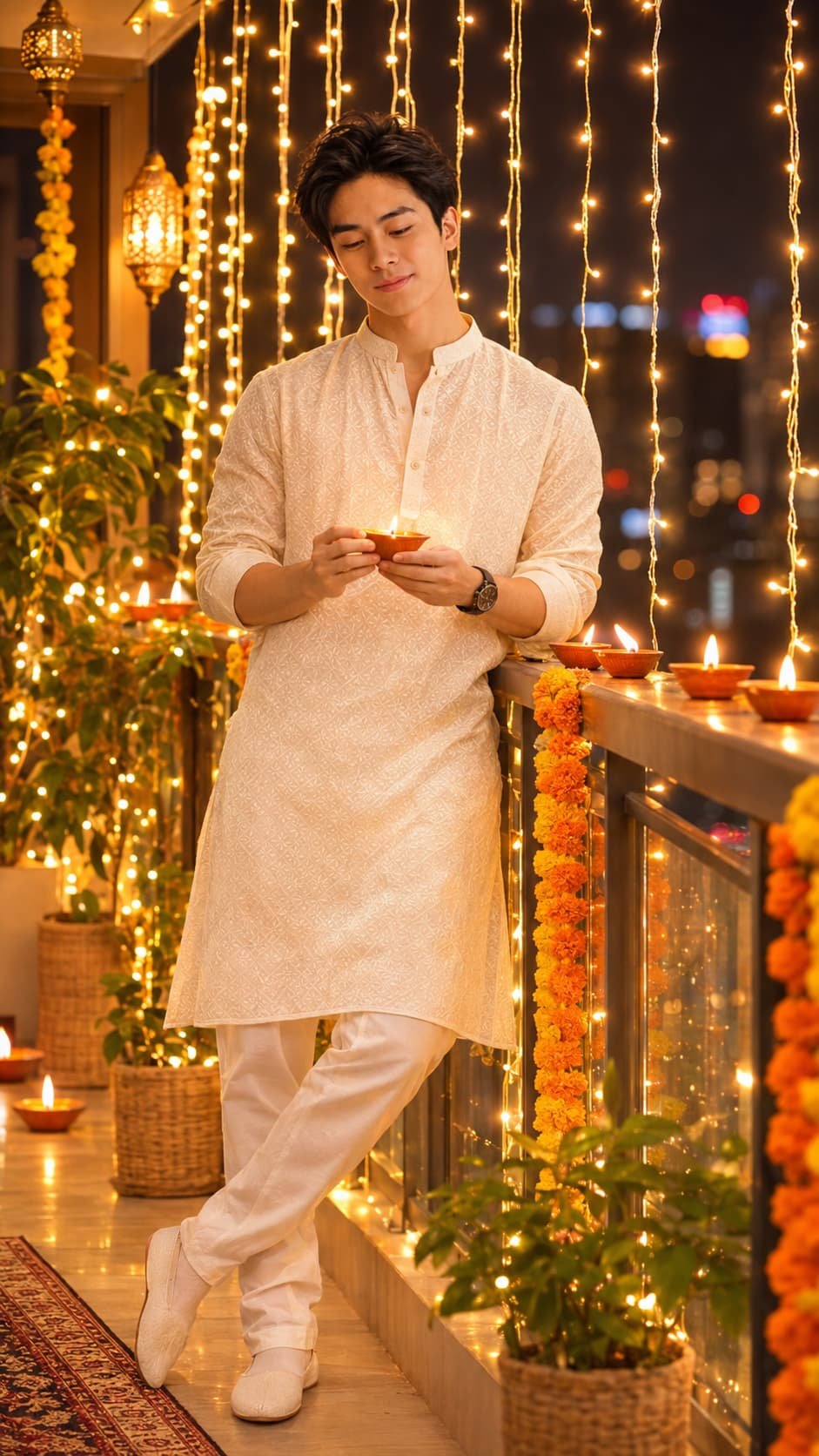
A stylish young adult man stands elegantly on a beautifully decorated balcony during Diwali evening, leaning slightly against the railing while holding a small glowing traditional clay diya in both hands near his waist. Use the exact face and facial identity from the uploaded reference photo. Preserve the original face shape, eyes, nose, lips, jawline, skin tone, facial proportions, and distinctive facial features. Do not generate, replace, or modify the person’s identity. He wears an elegant ivory-white traditional Indian kurta with subtle geometric embroidery, an open band collar, a short button placket, full sleeves casually rolled up to the forearms, and matching white pajama trousers. A stylish black wristwatch completes his look. His hairstyle and facial hair should follow the uploaded reference photo. He has a gentle, peaceful smile while looking down toward the glowing diya. The background features a beautifully decorated Indian balcony with warm-white hanging fairy lights, glowing clay diyas along the railing, orange and yellow marigold garlands, decorative lanterns, illuminated plants, and distant city lights creating beautiful golden bokeh. Warm ambient lighting from the diyas and fairy lights creates soft golden highlights on his face and kurta, natural shadows, and a cozy festive atmosphere. Capture a full-body vertical portrait at eye level using an 85mm professional portrait photography aesthetic, f/1.8 aperture, sharp facial and clothing details, realistic kurta embroidery, natural skin texture, and a softly blurred background. Apply rich golden amber, warm orange, creamy white, and deep brown cinematic color grading with realistic diya flames and subtle festive glow. Ultra-photorealistic 4K quality, vertical 9:16 aspect ratio, PNG format. Avoid artificial skin, altered facial identity, distorted hands, extra fingers, incorrect kurta design, floating diyas, unrealistic flames, excessive lens flare, overexposure, artificial orange skin, cluttered backgrounds, extra people, text, logos, and watermarks.
Tips to Get Better Results from AI Diwali Photo Prompts
1. Always Upload a Clear Reference Photo
I recommend uploading a high-quality photograph where your face is clearly visible. Avoid images with heavy filters, extreme shadows, or unusual camera angles because they can affect the final result. A front-facing photograph with natural lighting usually works well for festive editing. I also suggest using a photograph with your natural facial expression so the generated image looks more authentic. Always include facial identity preservation instructions when creating a new outfit or changing the background.
2. Describe Your Outfit in Detail
The outfit description plays an important role in creating realistic festive photographs. Instead of simply writing traditional clothes, describe the exact color, fabric, embroidery, fitting, and accessories you want. For example, you can mention an ivory silk kurta with golden embroidery, matching trousers, and traditional footwear. These details help create a more visually consistent result. We can also experiment with different combinations to discover traditional and modern Diwali fashion styles.
3. Choose the Right Background and Lighting
A beautiful background can completely change the appearance of your festive photograph. I personally recommend experimenting with decorated balconies, luxury interiors, traditional courtyards, palace-inspired entrances, and illuminated rooftops. Warm golden lighting, soft shadows, and background bokeh can make portraits look more professional. You should also mention whether you want daytime photography, golden-hour lighting, or a cinematic night atmosphere. Clear lighting instructions help create a more balanced and visually appealing festive image.
4. Select the Correct Image Size
Before generating your photograph, consider where you want to publish it. Different platforms require different image dimensions and compositions. For Instagram Stories and Reels, a vertical 9:16 composition works well, while a 4:5 portrait ratio is useful for Instagram feed posts. For Pinterest, a vertical 2:3 image is a practical choice. I recommend mentioning the desired aspect ratio in your prompt so the subject and background are positioned appropriately.
Frequently Asked Questions (FAQs)
1. How can I create Diwali photos using AI prompts?
To create Diwali photos, upload your reference photograph to an AI image editor and paste your selected prompt. Describe your preferred traditional outfit, background, lighting, pose, and photography style. I recommend starting with a simple kurta or sherwani prompt before experimenting with more detailed fashion concepts. Always include instructions to preserve your original facial identity. You can try different prompts until you achieve a result that matches your preferred festive appearance.
2. Which outfits work best for men’s Diwali photos?
Traditional outfits such as kurtas, sherwanis, Indo-Western jackets, and embroidered ethnic sets are excellent choices for Diwali photography. I particularly recommend experimenting with black, ivory, maroon, emerald green, and navy blue because these colors create attractive festive looks. You can also combine traditional clothing with modern accessories for a contemporary appearance. The best outfit depends on your personal fashion preferences and the photography style you want to achieve.
3. Can I use these prompts for Instagram photos?
Yes, you can use these prompts to create attractive photographs for Instagram posts, Stories, and Reels. I recommend mentioning the desired aspect ratio directly in your prompt to achieve the correct composition. You can also experiment with different backgrounds, camera angles, and festive outfits to create multiple photographs. For better presentation, choose a clear portrait, maintain consistent image quality, and select a composition that works well with your intended social media format.
4. How can I maintain my original face while editing photos?
To maintain your original facial appearance, upload a clear reference photograph and explicitly instruct the AI editor to preserve your exact facial identity. Mention details such as face shape, eyes, nose, lips, skin tone, and natural facial proportions. Avoid vague instructions that simply request a handsome or attractive face. Although these instructions can help improve consistency, AI-generated results may still differ slightly from the original photograph, so always review the final image.
Conclusion
Creating attractive festive photographs has become easier with creative AI prompts and a good reference image. In this article, I have shared 20 trending ideas covering traditional kurtas, royal sherwanis, Indo-Western outfits, and cinematic Diwali photography. You can copy any prompt, customize the outfit, and experiment with different festive backgrounds to create your preferred look. At Techonlinetushar.in, I aim to share useful AI prompts and creative ideas that help everyone turn ordinary photographs into visually stunning images.