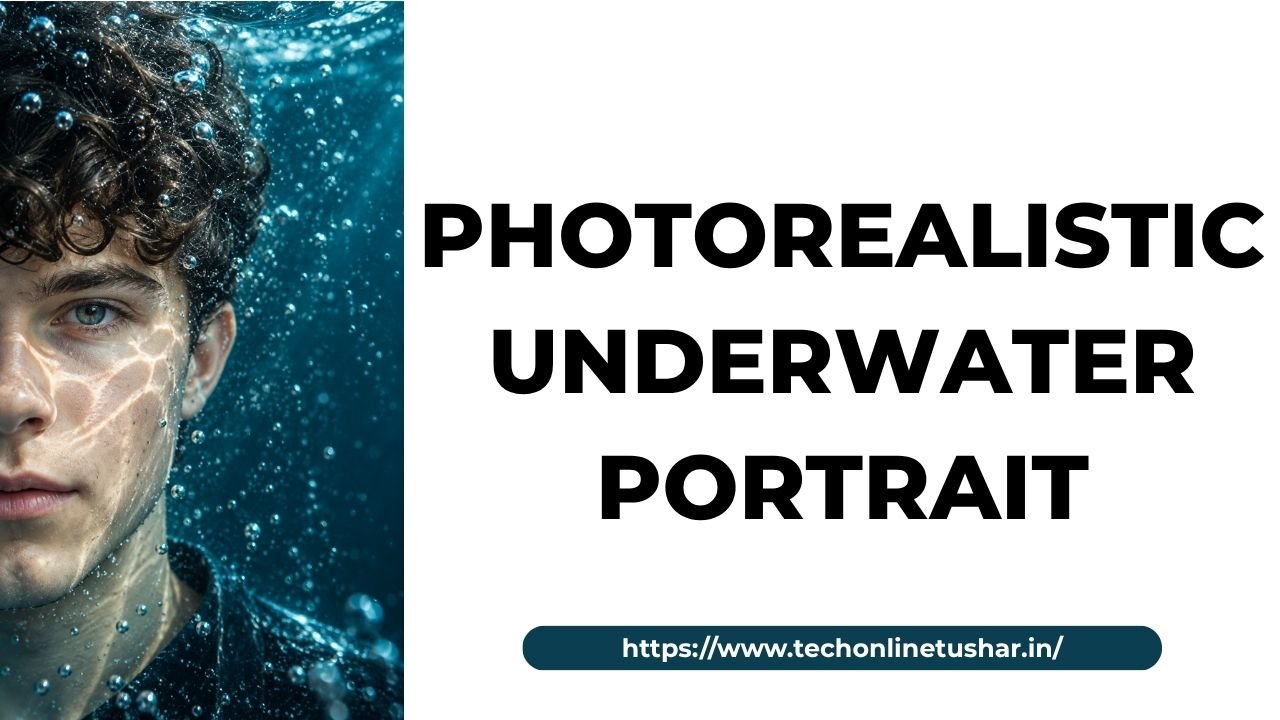
Creating a photorealistic underwater portrait with AI is a simple way to turn an ordinary photo into a stunning underwater image. With the right AI image generation tool and a well-written prompt, you can create realistic underwater effects, natural lighting, floating hair, water bubbles, and beautiful blue tones.
You don’t need professional photography skills or expensive editing software to get started. Simply upload your reference photo, enter a detailed AI prompt, and let the tool transform your image into a realistic underwater portrait.
In this guide, I’ll share a detailed photorealistic underwater portrait AI prompt that you can copy and use to create your own underwater images. Follow the instructions carefully to achieve a more natural look while maintaining the important details of your original photo.
{
  "image_type": "Photorealistic underwater portrait",
  "subject": {
    "description": "A young man with dark, slightly messy hair and natural facial features",
    "pose": "Extreme close-up portrait, face positioned on the left side of the frame",
    "expression": "Calm, serious, introspective",
    "gaze": "Looking directly toward the camera",
    "skin_texture": "Natural skin with realistic underwater light reflections",
    "identity_preservation": true
  },
  "visual_style": {
    "theme": "Cinematic underwater photography",
    "aesthetic": "Moody, atmospheric, artistic, realistic",
    "realism": "Ultra-photorealistic",
    "mood": "Quiet, mysterious, immersive"
  },
  "color_palette": {
    "primary": "#07566B",
    "secondary": "#0B7892",
    "highlight": "#BDEEFF",
    "background": "#063747",
    "shadows": "#071B25"
  },
  "lighting": {
    "type": "Natural underwater caustic lighting",
    "direction": "Soft light from the upper right",
    "effects": [
      "Wavy light patterns across the face",
      "Soft blue reflections on the skin",
      "Subtle highlights on the eyes",
      "Gentle shadows around the jaw",
      "Diffused underwater illumination"
    ]
  },
  "environment": {
    "location": "Underwater",
    "background": "Deep teal-blue water with a smooth gradient",
    "bubbles": "Numerous tiny air bubbles suspended throughout the frame",
    "particles": "Fine floating particles catching the light",
    "atmosphere": "Clear water with cinematic depth"
  },
  "effects": {
    "water_refraction": "Realistic optical distortion through water",
    "light_caustics": "Natural rippling reflections across the face",
    "bubble_detail": "Sharp foreground droplets and softly blurred distant bubbles",
    "depth_of_field": "Shallow, with selective focus on the visible eye",
    "texture": "Detailed water droplets on and in front of the face"
  },
  "composition": {
    "framing": "Extreme close-up portrait",
    "subject_position": "Left third of the image",
    "face_visibility": "Partially cropped by the left edge",
    "negative_space": "Large open water area on the right",
    "camera_angle": "Eye-level",
    "orientation": "Vertical portrait",
    "visual_balance": "Asymmetrical composition"
  },
  "camera": {
    "lens": "85mm portrait lens aesthetic",
    "focus": "Sharp visible eye and facial details",
    "aperture": "f/2.8",
    "quality": "High dynamic range, cinematic detail"
  },
  "output": {
    "aspect_ratio": "9:16",
    "resolution": "4K",
    "quality": "Ultra-high definition",
    "format": "PNG"
  },
  "negative_prompt": [
    "Cartoon",
    "Anime",
    "Artificial skin",
    "Over-smoothed face",
    "Deformed facial features",
    "Extra eyes",
    "Unnatural bubbles",
    "Overexposed highlights",
    "Warm orange lighting",
    "Busy background",
    "Text",
    "Watermark",
    "Low resolution",
    "Excessive motion blur"
  ]
}